
Wednesday, April 11, 2018
We're back!
After a couple of years away on other projects, we're coming back to the Fort Vancouver Mobile project in 2018-2019 thanks to the support of the Clark County Historical Promotion Grant program, which has funded our project for another $9,500 in app development costs. First step is to rewrite all existing code to meet current mobile standards and security, followed by reexamining and redesigning (if needed) all available interactive stories, with the hope that we have some resources at the end of this process to bring new content to the app as well (from the backlog of content we've made but not had the resources to deliver). ... Will keep you posted!

Wednesday, June 10, 2015
Old Apple Tree experiment in 2013: The Transcript
Video clip comparison is available here: https://www.youtube.com/watch?v=aymqFsUOgeM
Length of audio track: 01:01
Clip 1: Instrumental bluegrass music plays, (0:00 – 0:09)
Clip 2 Fort Vancouver archaeologist Dr. Robert Cromwell (0:09
– 0:16):
“Right now, this tree is the last above-ground remnant of
Hudson’s Bay Company operations here at Fort Vancouver.”
Clip 3 Cromwell continues (0:17 – 0:52):
“And this was the quartermaster’s depot. So a whole string
of the who’s who of the 19th century U.S. Army actually came here.
So less than 100 feet away from here, Ulysses S. Grant was residing. He had to
have seen this tree on his daily walk down to the wharf to check in on the
quartermaster’s stores. He probably walked right by it. In fact, the main road
connecting Vancouver Barracks to the wharf was basically just on the east side
of this tree. And to me, it’s just amazing looking at the history of development
in this area that this tree has survived.”
Clip 4: Instrumental bluegrass music continues and ends, (0:53
– 1:01)
Tuesday, January 13, 2015
Movement on other mobile fronts ... Yellowstone Mobile / Blackfeet
The Fort Vancouver Mobile project created my interest in mobile media research, so I want to keep the audience here posted about other projects of mine inspired by this FVM work. Two of those projects had major advancements in the past month:
1. The Yellowstone Mobile project released its first public app, the first authorized and sanctioned mobile app at America's first national park, Yellowstone National Park. Very cool to get this original piece released, but I'm even more excited about this project's future. We have some very ambitious plans in development, featuring an even bigger and broader research team than the FVM project. So keep an eye on Yellowstone Mobile, starting by looking at the webcam of Old Faithful eruptions. Available on Android and Apple.
2. The Blackfeet '64 Flood project also released its first post-prototype public app, available for both Apple and Android. This new app retains some of the look and designs of the previous prototype, but it is much more robust and scalable, and it features some really slick sharing options, based on the social media channels available on your smartphone. The journalistic stories in this app also are high in quality and challenge the dominant narrative of Montana's worst natural disaster.
1. The Yellowstone Mobile project released its first public app, the first authorized and sanctioned mobile app at America's first national park, Yellowstone National Park. Very cool to get this original piece released, but I'm even more excited about this project's future. We have some very ambitious plans in development, featuring an even bigger and broader research team than the FVM project. So keep an eye on Yellowstone Mobile, starting by looking at the webcam of Old Faithful eruptions. Available on Android and Apple.
2. The Blackfeet '64 Flood project also released its first post-prototype public app, available for both Apple and Android. This new app retains some of the look and designs of the previous prototype, but it is much more robust and scalable, and it features some really slick sharing options, based on the social media channels available on your smartphone. The journalistic stories in this app also are high in quality and challenge the dominant narrative of Montana's worst natural disaster.
Grand Emporium of the West at HICAH
Had a really interesting presentation at the Hawaii International Conference on Arts and Humanities this past weekend, in which my talk about the GEW focus groups we conducted with teachers a few months ago provoked a variety of comments and thoughtful questions. The response was so great that I'm thinking this work should be published soon, and I'll begin writing in the next few weeks, when a few other projects slow down, to create a draft of the ideas and start shopping that around. I already have mentioned this research piece to an editor of an academic journal, and received a positive response, so I'll start there and keep you posted. Hope to have those results in a publishable form soon!
Wednesday, December 3, 2014
Grand Emporium of the West presentation coming to HICAH in January
Another FVM project, the Grand Emporium of the West tablet app, also continues to be developed and tested. A big part of that development process, a focus group with a couple of dozen Clark County history educators / administrators, is the basis of an upcoming academic presentation I'm going to be giving at the Hawaii International Conference on Arts and Humanities in January.
New audio description project underway!
While we continue to make updates and upgrades to Fort Vancouver Mobile (catching up with the backlog of production pieces just ready for implementation), we've also started a new project with the National Park Service to improve audio description (aural captioning for the visually impaired). Here is the press release about the project, which is being funded by the federal agency.

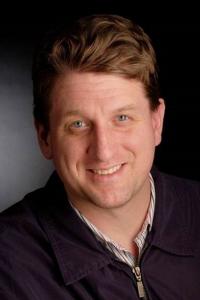
Brett Oppegaard
While we have not chosen the specific sites yet for the prototyping (or even discussed them much), I'm intrigued by the possibilities of adding audio description to the Fort Vancouver Mobile project. We'll see what the rest of the team thinks about that idea, and I'll keep you posted!
Audio alternative of National Park brochures in works for visually impaired
University of Hawaiʻi at Mānoa
Contact:
Lisa M Shirota, (808) 956-7352
Communications Director, Social Sciences, Dean's Office
Communications Director, Social Sciences, Dean's Office
Posted: Dec 2, 2014
Brett Oppegaard
A team of UH Mānoa researchers has received a $278,300 National Park Service grant for the development of new technologies to provide dynamic experiences for visually impaired visitors of national parks. Led by Assistant Professor Brett Oppegaard in the School of Communications within the College of Social Sciences, the group will explore the use of digital communication to convert traditional “unigrid” brochures used at all national parks into an audio description-format that better serves visually-impaired audiences.
“We want to make national parks more accessible to all audiences, including those who prefer audio alternatives to the traditional printed brochure,” said Oppegaard. “Visually-impaired people deserve the same access to our parks as every other citizen, and audio formats enrich the media ecosystem of the parks, to include more people, in different ways. Some people simply learn better by listening than by reading. Some people find audio more convenient, and some people just enjoy the format better, for purely entertainment reasons.”
By exploring various aspects of digital communication, including media forms and storytelling styles, the research team hopes to provide a dynamic set of audio-described brochures in flexible delivery formats for pilot testing at selected park sites. These audio files could be particularly effective for the visually impaired, especially for those who do not read braille, and for those who have other print-related disabilities, such as dyslexia.
Targeted for completion within three years, the project will involve the creation of various prototypes based at five parks throughout the nation, including one, yet to be determined, in Hawaiʻi; complementary research studies at those parks, and, ultimately, the development of a web tool expected to enable more audio description files to be built, under guidance and best practices generated by this project, at even more park sites throughout the country.
“The impact of this project has broader implications beyond just the National Park Service,” said School of Communications Chair and Professor Ann Auman. “A successful model can be replicated at other public venues, such as museums, zoos, and other state and local recreational sites, allowing individuals with disabilities to have a more engaging experience.”
Along with Oppegaard, other members of the UH Mānoa interdisciplinary research team include Assistant Professor Megan Conway and media coordinator Thomas Conway, both in the Center on Disabilities Studies within the College of Education. Rounding out the group is Sean Zdenek, an associate professor in the Department of English at Texas Tech University.
For his research agenda, Oppegaard studies ubiquitous computing and mobile media. He was the individual recipient of the regional and national 2012 George and Helen Hartzog Award for his research into mobile app development and media delivery systems within the National Park Service as well as the national 2013 John Wesley Powell Prize winner for outstanding achievement in the field of historical displays. He also teaches communication and digital media classes stemming from his many years of experience working for daily newspapers, during which he earned several national, regional and state awards. He was chosen for a National Endowment for the Arts fellowship as a journalist and also has earned National Endowment for the Humanities’ grants as a scholar for his innovative mobile media research projects. Those projects include collaborations with America’s first national park, Yellowstone, and the National Park Service’s Harpers Ferry Center, the Interpretive Design Center of the federal agency.
Megan Conway is a core faculty member with the Disability and Diversity Studies Program. In addition to teaching graduate-level online classes, she is editor of the Review of Disability Studies: An International Journal, and co-PI of EmployAble: World Without Barriers, a project focused on improving employment options for people with disabilities using virtual technology.
In addition to serving as media coordinator for the Center on Disability Studies, Thomas Conway is also project director for the EmployAble Project, which is a model virtual employment orientation and support center. It uses interactive online tools to facilitate employment skills training, networking, mentoring and employment resources for persons with disabilities.
Zdenek’s research interests include disability and web accessibility studies, closed captioning, deaf studies, sound studies and methods of rhetorical criticism. He teaches graduate and undergraduate courses in disability studies, web accessibility, document design, sound studies, report writing, multimodal composition, developing instructional materials, style and rhetorical criticism. He has published articles in Disability Studies Quarterly, Technical Communication Quarterly, Computers and Composition Online, Discourse and Society, and other publications.
The School of Communications in the College of Social Sciences at the University of Hawai‘i at Mānoa offers academic programs in Communication and Journalism. Communication focuses on communication in intercultural and professional communities, information and communication technologies (ICTs) and policy, and the media arts. Journalism is professionally oriented and develops critical thinking skills and ability to gather, analyze, and organize information, and to communicate it clearly and responsibly through print, broadcast, and online media.
The College of Social Sciences (CSS) at the University of Hawai‘i at Mānoa is engaged in a broad range of research endeavors that address fundamental questions about human behavior and the workings of local, national and international political, social, economic and cultural institutions. Its vibrant student-centered academic climate supports outstanding scholarship through internships, and active and service learning approaches to teaching that prepare students for the life-long pursuit of knowledge.
Thursday, June 19, 2014
Blackfeet '64 Flood / Yellowstone & Old Faithful apps
A lot of new Fort Vancouver Mobile material is being prepared this summer and should be in place by the end of July; also I've been working hard on a couple of other new site-based interpretive mobile apps that might be of interest to FVM followers:
The '64 Flood app (available now via Android / Apple), http://sixtyfourflood.com/, which is a mobile place-based journalistic effort about the worst natural disaster in Montana history, and its effects on the Blackfeet tribe.
The Yellowstone Mobile app; this one likely will be available on July 1, and it focuses on the Upper Geyser Basin, and Old Faithful. Still working on launching the accompanying blog and such, but will update here, including links, when those are available.
The '64 Flood app (available now via Android / Apple), http://sixtyfourflood.com/, which is a mobile place-based journalistic effort about the worst natural disaster in Montana history, and its effects on the Blackfeet tribe.
The Yellowstone Mobile app; this one likely will be available on July 1, and it focuses on the Upper Geyser Basin, and Old Faithful. Still working on launching the accompanying blog and such, but will update here, including links, when those are available.
Tuesday, April 22, 2014
FVM conference presentations in 2014
This year's slate of conference presentations – about our mobile research at Fort Vancouver and other related locations – began recently with a talk by me (Brett Oppegaard) on “Mobile citizenship: A technology begetting better civic engagement,” at the Pacific Northwest History Conference in Vancouver, WA, Pacific Northwest History Conference.
I also will be delivering, with co-author Dr. Michael Rabby, a variety of other sets of results from the recent research. Those will be a part of the International Communication Association's conference this year in Seattle in May, including these three confirmed engagements:
2014: International Communication Association main conference (Seattle, WA)
2014: International Communication Association Mobile preconference (Seattle, WA)
2014: International Communication Association Memory & History preconference (Seattle, WA)
I also will be delivering, with co-author Dr. Michael Rabby, a variety of other sets of results from the recent research. Those will be a part of the International Communication Association's conference this year in Seattle in May, including these three confirmed engagements:
2014: International Communication Association main conference (Seattle, WA)
2014: International Communication Association Mobile preconference (Seattle, WA)
2014: International Communication Association Memory & History preconference (Seattle, WA)
Tuesday, February 4, 2014
Grand Emporium of the West handout for teachers
The Grand Emporium of the West beta app just recently reached the Apple / Android markets, so our next goals include getting a lot of different middle school history teachers to use it, and to let us know what they think about it, so we can continue to refine and improve the app.
Here is the initial handout:


If you want to try this project in your classroom, or have any further questions, please just let me know at: brett_oppegaard ( at ) wsu.edu. ...
Here is the initial handout:
If you want to try this project in your classroom, or have any further questions, please just let me know at: brett_oppegaard ( at ) wsu.edu. ...
Friday, January 24, 2014
Now beta testing: Grand Emporium of the West (iPad version)
Our Apple version of the Grand Emporium of the West tablet app (in beta form) was released today in the App Store. So if you have either an Android or an Apple tablet computer, including iPads, you now can try out the app in either format. This app, again, is focused upon mid-19th century history and designed to be used in middle school history classes. We already have a few teachers who are planning to test this in their classes locally. If you, no matter where you are in the world, also want to try, please download the free app, test it, and let us know how we can help you to integrate it into your classroom (and improve it). Contact information and links are on the right-hand side of this blog. Thank you for your interest and support!
Wednesday, January 8, 2014
The Grand Emporium of the West app is out ...
Just a quick update, we have released the beta version of The Grand Emporium of the West app in the Android Google Play store and are in the process of submitting the app to the Apple market as well. That should take about 10 days or so, and I'll post here when it gets through the process. If you have an Android tablet computer and want to give this a try, please do. And let us know what you think, through the communication channels on this site.
Friday, December 13, 2013
Wing Luke Museum's Grit exhibit opens today
The Wing Luke Museum opened its exhibit titled "Grit" today, featuring a video on William Kaulehelehe that was commissioned as part of the Fort Vancouver Mobile project.
The museum, the only U.S. institution that focuses on the Asian Pacific American experience, is located in Seattle's Chinatown-International District and affiliated with the Smithsonian Institution.
Here is more about the exhibit, on display through Oct. 29, 2014:
"Grit: Asian Pacific Pioneers Across the Northwest uncovers the true stories of the men and women who migrated to the Pacific Northwest from the Asia Pacific to start a new life. The exhibition highlights 16 sites spanning Washington State, Oregon, Idaho, Alaska, and British Columbia. The Pacific Northwest of the 19th and early 20th centuries could be an unforgiving place, from natural and man-made disasters to discrimination seen in policy and everyday life. Grit reminds us of Asian Pacific Americans' long history of fortitude and resilience as they established communities in the Pacific Northwest."
 |
| Courtesy of @FtVancouverNPS |
Here is more about the exhibit, on display through Oct. 29, 2014:
"Grit: Asian Pacific Pioneers Across the Northwest uncovers the true stories of the men and women who migrated to the Pacific Northwest from the Asia Pacific to start a new life. The exhibition highlights 16 sites spanning Washington State, Oregon, Idaho, Alaska, and British Columbia. The Pacific Northwest of the 19th and early 20th centuries could be an unforgiving place, from natural and man-made disasters to discrimination seen in policy and everyday life. Grit reminds us of Asian Pacific Americans' long history of fortitude and resilience as they established communities in the Pacific Northwest."
And a photo of the credits:
 |
| Courtesy of @FtVancouverNPS |
Monday, December 2, 2013
The Grand Emporium of the West tablet app nearing release
We are less than a month away from the release of our latest NEH-funded mobile app; this one titled "The Grand Emporium of the West."
This app is designed for tablet computers, and it is designed for use in middle school history classes nationwide.
It continues the story of Fort Vancouver, but instead of being locative in nature, it is designed as a place-less prompting tool for classroom activities and discussions about the 19th-century frontier, wherever you are in the United States.
We have an introduction to the app, that sets the scene and provides some context about Fort Vancouver (but also can be skipped). Here are a few screenshots of that segment:


So the image you see there is a colorized version (by our multimedia designer Marsha Matta) of a historic sketch, and then we took the color away from anything that wasn't touchable, to create the main app interface:

Each colorized section, when touched, opens a prompting box, and within each box is a section of contextual information, a multimedia object (usually a video), and two suggested activities, plus two suggested discussion prompts. Those pages look like this:


And so forth ... When you touch one of the brown bars, or discussion bubbles, an interior box appears that provides a specific prompt (with a guide box also available for teachers looking to align with history thinking standards). That interior box looks like this:

Inside each interior box is a chance to collaborate, through Google Docs, as a way to share files, ideas, etc. ...
This app will be free and available for both Apple and Android devices; any history teachers out there want to give it a try, please let me know.
This app is designed for tablet computers, and it is designed for use in middle school history classes nationwide.
It continues the story of Fort Vancouver, but instead of being locative in nature, it is designed as a place-less prompting tool for classroom activities and discussions about the 19th-century frontier, wherever you are in the United States.
We have an introduction to the app, that sets the scene and provides some context about Fort Vancouver (but also can be skipped). Here are a few screenshots of that segment:


So the image you see there is a colorized version (by our multimedia designer Marsha Matta) of a historic sketch, and then we took the color away from anything that wasn't touchable, to create the main app interface:

Each colorized section, when touched, opens a prompting box, and within each box is a section of contextual information, a multimedia object (usually a video), and two suggested activities, plus two suggested discussion prompts. Those pages look like this:


And so forth ... When you touch one of the brown bars, or discussion bubbles, an interior box appears that provides a specific prompt (with a guide box also available for teachers looking to align with history thinking standards). That interior box looks like this:

Inside each interior box is a chance to collaborate, through Google Docs, as a way to share files, ideas, etc. ...
This app will be free and available for both Apple and Android devices; any history teachers out there want to give it a try, please let me know.
New research methodologies in development
While we are building these various mobile apps for place-based attractions, we also are -- of equal importance -- experimenting with different research methodologies enabled by mobile technologies.
This past weekend, for example, our enthusiastic little research team (including Dr. Michael Rabby and research assistants Lucas Wiseman and Joshua Wagner) spent three full days at Vancouver's Festival of Trees testing, among other ideas, how each different mobile medium (audio, video, animation) as well as proximity (to the physical material being presented) affects user perceptions about mobile content.
We had some slow moments, particularly early in the mornings, but, by mid-day and in the early afternoons, we often had three or four tablets running simultaneous tests. At one point, on the first day, we had six tablets running tests for about 30 minutes straight. ... That was very exciting to see.
As part of all of this, we also attracted one famous guest, who wanted to give it a whirl:

This past weekend, for example, our enthusiastic little research team (including Dr. Michael Rabby and research assistants Lucas Wiseman and Joshua Wagner) spent three full days at Vancouver's Festival of Trees testing, among other ideas, how each different mobile medium (audio, video, animation) as well as proximity (to the physical material being presented) affects user perceptions about mobile content.
We had some slow moments, particularly early in the mornings, but, by mid-day and in the early afternoons, we often had three or four tablets running simultaneous tests. At one point, on the first day, we had six tablets running tests for about 30 minutes straight. ... That was very exciting to see.
As part of all of this, we also attracted one famous guest, who wanted to give it a whirl:

Monday, October 7, 2013
Old Apple Tree data collection
Our continuing efforts to understand mobile technologies and to make them more understandable for others extended to the Old Apple Tree Festival on Saturday. This was the second year in a row we have built an app for the festival, to investigate issues of medium and content. In short, we have been comparing media forms, such as audio and video, and we have been comparing media content designed for a specific place, in situ, with content not connected to that place. We hope to present findings of this research at both the International Communication Association main conference and the ICA Mobile preconference in May in Seattle, among other venues.
The Columbian published a story on this festival, too, which included a mention of the research.
 |
| The mobile research team from WSU Vancouver (L-R): Lucas Wiseman, Dr. Brett Oppegaard, Dr. Michael Rabby, and Josh Wagner. |
Sunday, August 11, 2013
Focus groups with the Grand Emporium of the West tablet app
We have spent a lot of the summer working on the Grand Emporium of the West tablet app, designed for middle school history teachers, a project funded by the National Endowment for the Humanities and EDSITEment. We also had the rich opportunity to share that work recently with two separate focus groups of middle school history teachers, one predominately from the Vancouver School District, and one predominately from the Evergreen School District, the two largest districts in Southwest Washington. We still are sifting through the data, but, overall, the app performed very well technically, and it had many promising features that teachers were thrilled about using. In terms of development, the app clearly still needs a better overall focus, as a stations-based program, and some of the suggested activities and discussion prompts will need to be refined, I think, to better serve the teachers and students. While we are working on some of that (with a delivery date of year end), here are a few new screen shots:
 |
| Incorporates the new NEH and EDSITEment! logos. |
 |
| After an animation runs, showing this historic drawing, it converts into an interface. |
 |
| A basic station page, with video prompt, activity prompts, and discussion prompts. |
Saturday, July 6, 2013
New FVM video, created by the NEH
Mark Katkov of the National Endowment for the Humanities, and formerly of CBS News, produced a great introductory video of the Fort Vancouver Mobile project, as part of a new series highlighting NEH projects of note.
I was interviewed for my part of the piece when I was in Washington, D.C., in February, working with Katkov and a local production studio. The work also repurposes video segments produced by FVM videographers Troy Wayrynen and Forrest Burger.
The video is here:
Thank you Mark, and the NEH, for honoring this project with your coverage!
I was interviewed for my part of the piece when I was in Washington, D.C., in February, working with Katkov and a local production studio. The work also repurposes video segments produced by FVM videographers Troy Wayrynen and Forrest Burger.
The video is here:
Thank you Mark, and the NEH, for honoring this project with your coverage!
Tuesday, June 18, 2013
More on the FVM exhibit
The physical and permanent Fort Vancouver Mobile exhibit debuted at the national historic site's visitors' center recently, but I had a chance to shoot a few more photographs of the exhibit last week and thought I would share those:
 | ||
The candle-lit main sign, especially cool on dark days.
including, from L-R, Alex Patterson, Stephen Phelan, and Cary W. Porter. |


Sunday, June 9, 2013
Fort Vancouver Mobile's permanent exhibit debuts!
 |
| The debut of the Fort Vancouver Mobile exhibit, on GO Day. (Photo courtesy of Josh Wagner) |
The idea is that the video pieces can be played and shared at the visitors center, and some people might download the free app because of those, and other people, who might not want to use the mobile version, still can get some of the benefits of the media produced in this project. This exhibit also is designed so people might want to sit on the barrels, or stand next to the pelts, and take their picture with this scene in the background.
Volunteer Lee Pisarek designed and constructed this exhibit, with help from Fort Vancouver staff members. Thank you so very much, Lee! ... I will be back in town and plan to stop by the exhibit later this week, and will post more images of it then.
Friday, June 7, 2013
Finding the Kaulehelehes in Victoria
One of the benefits of coming back to Victoria, B.C., for the Digital Humanities Summer Institute again (during which Fort Vancouver Mobile has been featured prominently in our Creating Digital Humanities Projects for the Mobile Environment course) has been the opportunity to continue looking for material about William Kaulehelehe, the protagonist of our Kanaka module.
Last year, I looked on my own for Kaulehelehe's grave at the Ross Bay Cemetery and couldn't locate it. So during the past year, I made contact with a variety of people who eventually led me to Michael Halleran, secretary of the Old Cemeteries Society in Victoria, who has led tours of the cemetery focused on its prominent Hawaiians.
Michael not only told me about the Kaulehelehes, he also offered to meet me at the cemetery and show me the location of the graves of William's wife, Mary Kaai, and his hanai daughter, Mary Opio. So we met at the Ross Bay Cemetery tonight, and he took me first to William's unmarked grave:
Here is a video of that moment, where he found the grave site:
Michael also took me to another cemetery, the Old Quadra Street Burial Ground, a few kilometers away, where Kaai and Opio also are buried in unmarked graves. That cemetery unceremoniously has been turned into a city park (a group of people were hula-hooping on top of grave sites -- probably unknowingly -- when we arrived), and almost all of the more than 1,000 tombstones at that site have been removed, but, Halleran said, the bodies still are there, including Kaai and Opio. The city's parks department removed most of the markers in 1909, when the site was "renovated" into Pioneer Square Park. At this point, because of the lack of precise records about the site, Halleran said there is no easy way to determine where the women are buried. He was able to determine that Opio was buried in the Catholic part of the cemetery, roughly near this large church marker:
And Kaai was interred in the Anglican part of the cemetery, in a large area of land, near this marker:
Halleran also shared a variety of other insights about the Hawaiians in Victoria, which relates, at least generally to the Kaulehelehes' story: To begin with, if you know the Empress Hotel, the stunning landmark at the heart of the Victoria harbor, you also know, roughly, where Kanaka Row was in Victoria, on the adjacent street, called Humboldt now, which marks the territory of the original Victoria waterfront. Halleran said the Kaulehelehes likely lived on Kanaka Row in the 1860s, in one of the small wooden houses there, and he found the paperwork showing that William was a naturalized British subject, and therefore, at the time, a Canadian citizen as well, which gave him the rights to vote, own land, and run for office, which was much more agency than he was allowed, as a Hawaiian, in the U.S. portion of the Pacific Northwest. He apparently worked as a Hudson's Bay Company clerk, and he and his wife were affiliated with the Anglican church.
Opio (her full last name was Kamopiopio), by the way, died at the age of 15, on June 26, 1864, in what appears to have been a botched abortion. Halleran said there is some documentation and some speculation about what happened, so we are going to look more closely at that story and see what we can find.
Mary Kaai (full last name: Kaiiopiopio) died at the age of 43 (cause and date of death unknown) and was buried on New Year's Eve, the next year, 1865.
William Kaulehelehe lived to the age of 65, dying almost a decade later, on June 22, 1874.
I also grabbed the GPS coordinates of these grave sites, so I hope to embed some digital media at that those places some time in the near future, to at least leave a virtual marker of their lives. Will keep you posted!
Last year, I looked on my own for Kaulehelehe's grave at the Ross Bay Cemetery and couldn't locate it. So during the past year, I made contact with a variety of people who eventually led me to Michael Halleran, secretary of the Old Cemeteries Society in Victoria, who has led tours of the cemetery focused on its prominent Hawaiians.
Michael not only told me about the Kaulehelehes, he also offered to meet me at the cemetery and show me the location of the graves of William's wife, Mary Kaai, and his hanai daughter, Mary Opio. So we met at the Ross Bay Cemetery tonight, and he took me first to William's unmarked grave:
 |
| Michael Halleran at William Kaulehelehe's unmarked grave in Victoria, B.C. |
Michael also took me to another cemetery, the Old Quadra Street Burial Ground, a few kilometers away, where Kaai and Opio also are buried in unmarked graves. That cemetery unceremoniously has been turned into a city park (a group of people were hula-hooping on top of grave sites -- probably unknowingly -- when we arrived), and almost all of the more than 1,000 tombstones at that site have been removed, but, Halleran said, the bodies still are there, including Kaai and Opio. The city's parks department removed most of the markers in 1909, when the site was "renovated" into Pioneer Square Park. At this point, because of the lack of precise records about the site, Halleran said there is no easy way to determine where the women are buried. He was able to determine that Opio was buried in the Catholic part of the cemetery, roughly near this large church marker:
 |
| Halleran suggesting where Opio might be buried. |
 |
| Halleran determining roughly where Kaai is buried. |
Opio (her full last name was Kamopiopio), by the way, died at the age of 15, on June 26, 1864, in what appears to have been a botched abortion. Halleran said there is some documentation and some speculation about what happened, so we are going to look more closely at that story and see what we can find.
Mary Kaai (full last name: Kaiiopiopio) died at the age of 43 (cause and date of death unknown) and was buried on New Year's Eve, the next year, 1865.
William Kaulehelehe lived to the age of 65, dying almost a decade later, on June 22, 1874.
I also grabbed the GPS coordinates of these grave sites, so I hope to embed some digital media at that those places some time in the near future, to at least leave a virtual marker of their lives. Will keep you posted!
Saturday, June 1, 2013
Upcoming FVM public lecture: July 25
In our continuing quest to bridge mobile digital interpretation with journalism, I am working this summer with Fort Vancouver's archaeologist (and PSU adjunct associate professor) Dr. Doug Wilson to document and embed into the ether the process and results from the annual Public Archaeology Field School. I also will be giving a lecture on my research (as part of a public lecture series) and how it could benefit archaeologists (and public historians) on July 25 at Pearson Air Museum.
For more details, see The Columbian article on the series:

Monday, May 27, 2013
Fort Vancouver-WSUV collaboration story from the road ...
During my recent trip to Washington, D.C., for the Powell Prize award ceremony, I had a great chat with historian Dr. John Sprinkle of the National Park Service, and he told me the following about the far-reaching implications of our WSUV collaborations at Fort Vancouver:
"In May 2012, representatives of the National Park Service history and interpretation programs met at Harper's Ferry to discuss the state of history within the agency. One of the stars of the show was Greg Shine and his description of the unique and valued partnership with Washington State University-Vancouver. One aspect that was highlighted was the Public History Field School offered at Fort Vancouver in conjunction with the University. Participants learned at the park, and we were told that the adjunct salary was forwarded to the Park.
Over the last seven years I have taught an introductory historic preservation class at several local institutions (on my own time) at both the graduate and undergraduate level. Greg's description of the educational partnership inspired me to try a similar approach here in Washington. I pitched the idea to Robert Sutton, the NPS Chief Historian, and in the fall 2012 I taught a graduate seminar at George Mason University and team-taught a course at the University of Maryland, College Park. This spring I am teaching at the Northern Virginia Community College. What would have been my adjunct salary was transferred to the National Preservation Institute, held in a fund for use by the Park History program. I am scheduled to again teach at UMCP in the fall.
I endeavored to reach out to the academic community because of recommendations in the recent OAH study, Imperiled Promise, that suggested closer ties between NPS and academic historians would be of value to both groups of scholars. It is my hope that we might continue this experiment for a few years--perhaps until the NPS centennial to develop a measure of its potential impact. ... Thanks for leading the way with a very creative partnership."
Thank you for the inspiring story, Dr. Sprinkle, and for your service to the country! ...
FVM on the NEH's blog for Congressional and White House Affairs
Sent this out via Twitter earlier this month, but I think it's also worth mentioning here that the FVM project was featured in May on the NEH's blog for Congressional and White House Affairs. Very cool! ... Thanks for the support, NEH! ...


Grand Emporium of the West tablet app interface, Take 2
So the first run at the Grand Emporium of the West tablet app interface put us in a position of choosing between the aesthetics of the desired look from the designer (the angle of the perspective, the scope of the space, the architectural details, etc. -- and the precise historical accuracy of the image. In short, we did not have the historical resources (maps, drawings, descriptions, etc.) to make such an artistic leap justifiable, and, doing so would compromise the information integrity that we have developed so far on this project. When having to make a choice between artistry and authenticity in this project, we always have focused on historical accuracy. We would like to come back to this original idea, with more resources, and use it for another purpose, but we have a tablet app to build for the NEH by the end of summer, so we have chosen another path for now.
This second interface, which was an idea suggested by Chief Ranger Greg Shine, was to transform a historical drawing of undisputed accuracy into a touchable interface. We decided to animate this idea (animations not shown) ...
We started with the splash screen concept, of introducing the title of the app, and its funders, as illustrated in this screen shot:

Then, the app shows the historical drawing, as it was:

Followed by a gentle colorization animation (which includes quotes from the period about the prominence of Fort Vancouver in the region during the mid-1800s):

Then, at the end of the animation, only the touchable parts of the interface remain colorized:

All of this design and animation was created by our primary multimedia designer, Marsha Matta, with our primary app development expert, Joe Oppegaard, creating the backend structure to make it all work. ... When a user touches any of the colorized pieces, the ship, the houses, the bastion, etc., the app launches an activity screen, similar to the prototype below:

The media in each module is intended to initiate learning opportunities; in this case, through a discussion about the food of the period through a demonstration of the baking of seabiscuits (the hardtack that most people in the region relied upon for survival). To complement that media, various activity prompts, discussion sections, and other pop-up resources are provided on the page to encourage interaction with the information and the ideas through the affordances of the mobile device:


This second interface, which was an idea suggested by Chief Ranger Greg Shine, was to transform a historical drawing of undisputed accuracy into a touchable interface. We decided to animate this idea (animations not shown) ...
We started with the splash screen concept, of introducing the title of the app, and its funders, as illustrated in this screen shot:

Then, the app shows the historical drawing, as it was:

Followed by a gentle colorization animation (which includes quotes from the period about the prominence of Fort Vancouver in the region during the mid-1800s):

Then, at the end of the animation, only the touchable parts of the interface remain colorized:

All of this design and animation was created by our primary multimedia designer, Marsha Matta, with our primary app development expert, Joe Oppegaard, creating the backend structure to make it all work. ... When a user touches any of the colorized pieces, the ship, the houses, the bastion, etc., the app launches an activity screen, similar to the prototype below:


After all of this information is put into place, we have scheduled a focus group of local history educators to try it out in July. We also are building a series of analytic tools into the app, so we can look closely at the ways in which the app is being used (or not used). ... Will provide more updates about that later.
Friday, May 24, 2013
NAI Region 10 Keynote

Thank you again to the National Association for Interpretation - Region 10 (especially conference coordinator Pat Berry) for inviting me to give the keynote speech at this year's annual workshop, which also included simulcasted audiences in Seattle, Alaska, and Vancouver, BC.
Wednesday, May 15, 2013
Washington state DAHP award!
Another great honor was bestowed upon the Fort Vancouver Mobile project last night at the beautiful Artillery Barracks building in Vancouver, WA. The Washington State Department of Archaeology and Historic Preservation (DAHP) met to announce its annual State Historic Preservation Officer's Awards for Outstanding Achievement in Historic Preservation. The Fort Vancouver Mobile project was chosen as this year's model for Outstanding Achievement in the Media. Fort Vancouver National Historic Site's Chief Ranger Greg Shine and I accepted the award, on behalf of the research team, and to be included in this group of amazing history and preservation projects -- such as the extensive restorations of the Museum of History and Industry (MOHAI) in Seattle and the Murray Morgan Bridge in Tacoma -- was very inspiring. Congratulations to all of the SHPO award winners! ... My favorite comment of the night came from state Historic Preservation Officer Dr. Allyson Brooks, who talked about giving the app to a 16-year-old teen and asking her what she thought of it. The teen, at first ambivalent about the experiment, became engrossed, and later said the app was "freakin' awesome." She then asked Brooks when she could go to the fort and try it out. That encouraging comment really struck me as the ideal response we want to earn. So we'll keep working hard on making the app better and better this summer and for years to come. ...


Saturday, May 4, 2013
Washington State University New Faculty Seed Grant
Received the wonderful news this week that Washington State University has awarded me a prestigious New Faculty Seed Grant for $21,000 to continue my research on mobile place-based media at the Fort Vancouver National Historic Site. That means a lot more great research on this project is ahead in 2013-2014. Thank you, WSU! ...
Tuesday, April 9, 2013
At the National Archives, to accept the John Wesley Powell Prize
Just returned from Washington, D.C., where Greg Shine and I accepted the John Wesley Powell Prize from the Society for History in the Federal Government, for the FVM app team who worked on the Kanaka module (thank you all!). ... Here are a few pics from the presentation:
 |
| Greg Shine and Brett Oppegaard (L-R) accepting the award. |
 |
| Greg Shine, before the award ceremony. |
 |
| The National Archives seal, at the entry to the building. |
Fort Vancouver Mobile in the Federal History Journal
Archaeologist Doug Wilson recently published this account of research of the Hawaiians at Fort Vancouver in the winter 2012-2013 Federal History Journal (congrats, Doug!), and he was kind enough to mention the FVM app work we have done along those lines as well, including a photo:


Subscribe to:
Posts (Atom)